25 Gifts for Programmers That Improve Life Beyond the Keyboard
Choose from 25 gifts for programmers, including useful desk accessories, offline hobbies, and personal experiences, with compatibility checks.

14 min read
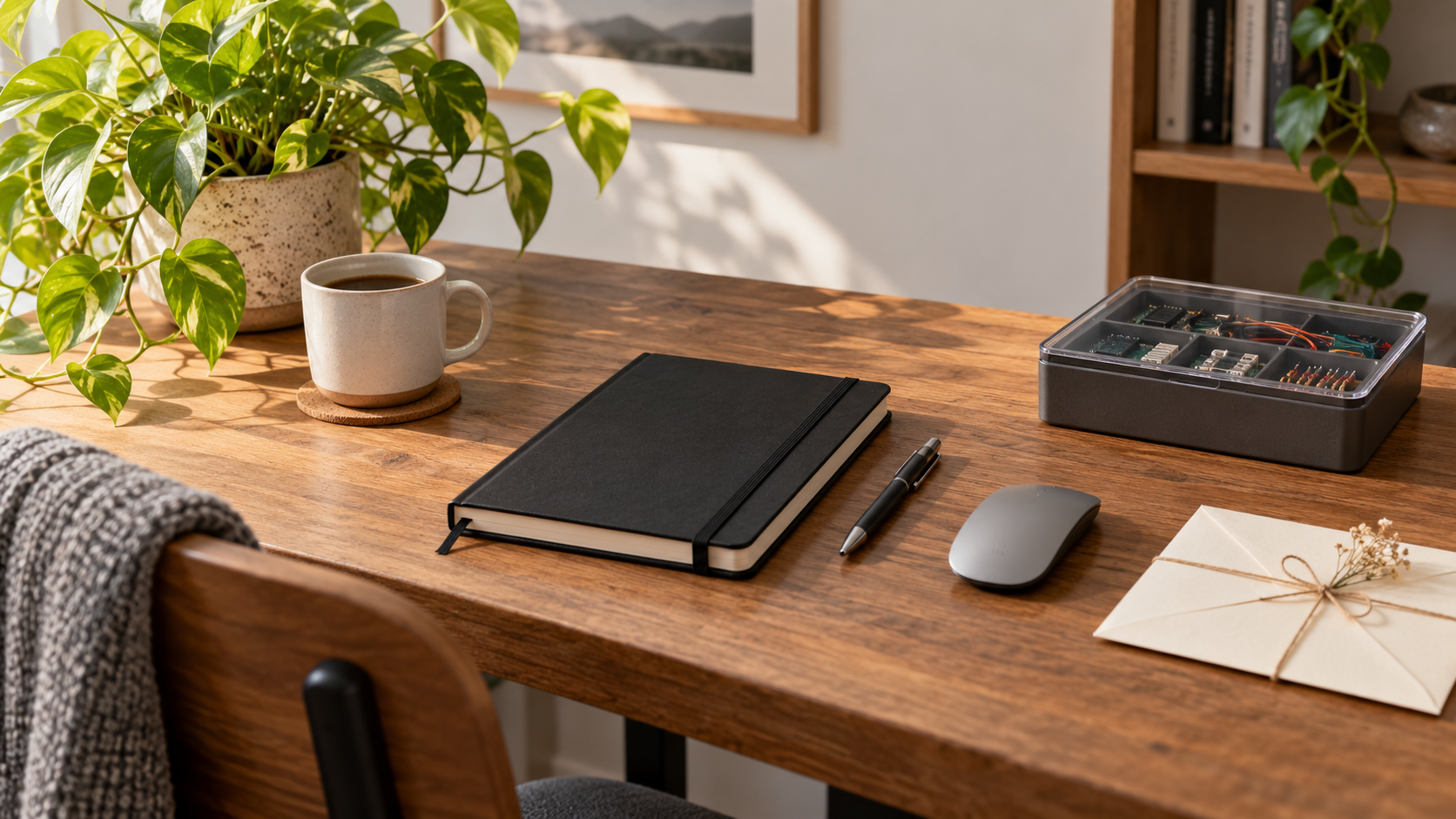
Programmers usually have strong preferences about the objects they touch all day. The best gift starts with a small, known friction: a missing port, a crowded laptop desk, or cables that never stay together. This assortment includes exact hardware choices to confirm with the recipient, simpler desk accessories, and hobbies for when the editor closes. Ask about the operating system, employer device rules, hand preference, and existing equipment before treating a technical upgrade as a surprise.
This guide includes 18 named retail products and seven personal or experience ideas. Product assessments come from listing and manufacturer research, not hands-on testing. Prices, sellers, and delivery dates change; check the exact item and final delivered cost before ordering.
Choose a gift that matches the routine
| Their situation | Start with | Before buying |
|---|---|---|
| They requested a mouse upgrade | Logitech MX Master 3S | Hand preference, shape, and approved software |
| They work from a laptop | Rain Design mStand or Anker 555 hub | Desk layout and exact host requirements |
| They prefer modest practical gifts | OXO cleaner, Rhodia notebook, or Gear Ties | An actual habit they want improved |
| They want a break from screens | Rubik’s Cube or LEGO Tiny Plants | Their interest in puzzles or assembly |
Hardware worth asking about first
These gifts can be useful, but the recipient’s actual setup determines whether they belong on the desk.
Choose accessories that solve a specific habit without asking the recipient to rebuild their workflow.
These picks fit programmers as people with tastes outside work. A hobby they have mentioned is better evidence than a developer stereotype.
18 Product Gift Ideas
For a requested mouse upgrade
Logitech MX Master 3S Wireless Mouse

The MX Master 3S is a strong choice when a programmer has specifically asked for this mouse and spends time moving through long files, documentation, or multiple applications. MagSpeed scrolling and configurable controls offer clear reasons to consider it, but the sculpted shape is personal. Confirm hand preference and software support first. The exact Amazon bundle has conflicting receiver language, so verify included accessories rather than promising a Logi Bolt receiver from the model name.
Best for: A programmer who has requested this mouse shape
- Sensor
- 8,000 DPI
- Connection
- Bluetooth; confirm exact bundle
What we like
- MagSpeed scrolling
- Bluetooth connection
Keep in mind
- Hand shape and handedness matter
- Advanced settings depend on supported software
For a fixed laptop desk
Rain Design mStand Laptop Stand, Silver

The silver mStand works for a programmer who keeps a laptop at a fixed desk and already uses a separate keyboard and pointing device. Its single-piece aluminum structure raises the screen and provides a route for cables. The height is fixed, which makes measuring the setup important. Confirm laptop depth, available desk space, and viewing position before buying; a stand on its own can make typing awkward when the built-in keyboard remains the only input device.
Best for: A stationary laptop desk with separate input devices
- Material
- Aluminum
- Height increase
- 5.9 inches
What we like
- Single-piece aluminum stand
- Rear cable-management opening
Keep in mind
- Fixed height
- Requires a suitable separate keyboard and mouse
For confirmed port requirements
Anker 555 USB-C Hub, 8-in-1
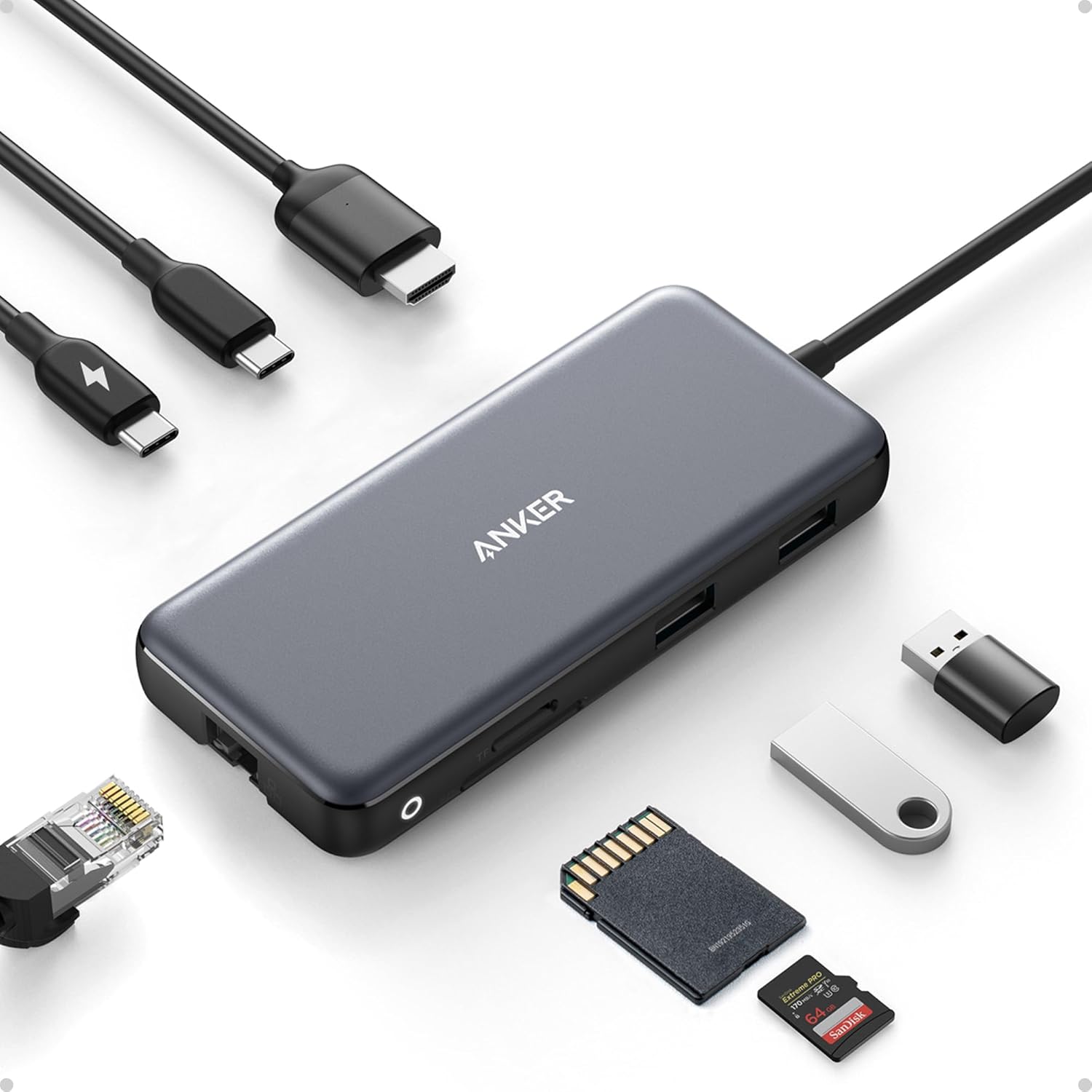
Anker’s 555 hub is useful when a developer needs these specific connections in one portable adapter, particularly Ethernet, HDMI, or memory-card access. Start with the laptop’s exact USB-C capabilities instead of assuming every USB-C socket supports video and charging. The listing explicitly excludes Linux compatibility, so this is not a universal programmer pick. Higher-resolution HDMI output and pass-through charging have host and power requirements; check those details against the intended setup before ordering.
Best for: A laptop owner who has confirmed the needed ports
- Model
- Anker 555, 8-in-1
- Ports
- HDMI, Ethernet, USB data, SD and microSD
What we like
- HDMI and Ethernet ports
- USB-A and USB-C data connections
Keep in mind
- Host capabilities limit video output
- Listing explicitly excludes Linux compatibility
For compatible-device charging
Anker 735 Charger, Nano II 65W

For a programmer carrying separate phone, tablet, and compatible USB-C laptop chargers, the Anker 735 can simplify the bag. Its two USB-C ports and one USB-A port offer a concrete consolidation benefit. The 65-watt maximum applies to a single compatible device; plugging in several devices divides the available power. Compare the recipient’s required wattage and cables before buying. It will not automatically replace a larger workstation charger just because the connector fits.
Best for: A compatible device owner who wants fewer separate chargers
- Maximum output
- 65W for one compatible device
- Ports
- 2 USB-C and 1 USB-A
What we like
- Three charging ports
- Foldable wall plug
Keep in mind
- Output is shared with multiple devices
- Cables and device requirements must be checked
For multi-device typing
Logitech K380 Bluetooth Keyboard, Dark Gray

The K380 suits a developer who has asked for a compact Bluetooth keyboard to switch between a laptop, tablet, or another compatible device. Three-device switching is its main advantage, not an assumption that it improves everyone’s typing. Confirm the US layout, supported Bluetooth profile, and preference for compact round keys. It uses replaceable batteries rather than charging over USB. Someone committed to a mechanical or split keyboard is unlikely to welcome an unrequested replacement.
Best for: Someone who wants a compact multi-device keyboard
- Connection
- Bluetooth
- Device switching
- Up to 3 paired devices
What we like
- Switches among three paired devices
- Compact layout
Keep in mind
- Not rechargeable
- Layout and key feel are personal
For a small desk upgrade
OXO Good Grips Sweep & Swipe Laptop Cleaner

A programmer’s daily laptop can collect keyboard crumbs and screen fingerprints without needing a whole cleaning kit. OXO’s Sweep & Swipe combines a retractable brush with a protected microfiber pad in a small desk accessory. It is an easy modest gift for someone who has mentioned that nuisance. Follow the device maker’s cleaning directions and use gentle pressure; the tool is not a disinfectant or a license to use harsh chemicals on a screen coating.
Best for: A small desk maintenance upgrade
- Cleaning ends
- Brush and microfiber pad
- Storage
- Retractable brush and cover
What we like
- Retractable brush
- Microfiber pad has a protective cover
Keep in mind
- Not a disinfectant
- Device-specific cleaning instructions still apply
For handwritten planning
Rhodia A5 Webnotebook, Black Dot Grid

The A5 dot-grid Webnotebook gives a developer room to sketch data flows, outline an idea, or keep nonconfidential personal notes away from the screen. The dots support both diagrams and prose without forcing a ruled layout, while the elastic closure keeps the book together in a bag. Ask whether they already prefer digital notes. Avoid printing proprietary project material into the gift or suggesting a paper notebook bypass workplace rules about storing company information.
Best for: People who prefer handwritten plans
- Format
- A5, dot grid
- Paper
- 90 gsm ivory
What we like
- Dot-grid layout
- Elastic closure and ribbon marker
Keep in mind
- A5 is larger than a pocket pad
- Paper is not an all-weather surface
For paper notes
Pilot G2 Fine Point Black Gel Pens, 12 Count

A black fine-point G2 pack is practical for the programmer who works out algorithms, interview practice, or personal plans by hand. Retractable pens and available refills make the gift a straightforward supply restock rather than another novelty with code on it. Check the recipient’s preferred ink and point style first; a twelve-pack is generous for someone who writes infrequently. Keep it for ordinary paper, since gel ink is not a guaranteed choice for specialty or weather-resistant notebooks.
Best for: Everyday paper notes at a desk or at home
- Ink
- Black gel
- Pack
- 12 fine-point pens
What we like
- Retractable design
- Refillable gel pens
Keep in mind
- A 12-pack may exceed their needs
- Gel ink is not an all-weather choice
For cable organization
Nite Ize Gear Tie, 6 Inches, Black, 2-Pack

Two six-inch Gear Ties make sense for the developer who carries a few charging cables between a home desk and another workspace. The bendable reusable design helps keep one small bundle together without adding another powered device. Compare the length with the actual cable coils before buying. They organize belongings rather than changing computer compatibility, and they should never be used as a safety tether or a reason to tightly bend a fragile cable.
Best for: Bundling personal charging cords
- Length
- 6 inches
- Pack
- 2 black ties
What we like
- Reusable bendable ties
- Soft rubber exterior
Keep in mind
- Too short for large bundles
- Not a load-bearing strap or safety tether
For a portable setup
BAGSMART Large Electronics Organizer, Black

For a programmer carrying adapters, cables, and a small charger between desks, this flat BAGSMART case gives the portable setup a defined home. Cable loops and mesh pockets can make it easier to check whether an essential dongle is packed before leaving. Compare the 10.6-by-7.5-inch footprint and slim depth with their bag and actual chargers. It organizes existing gear rather than supplying connections or power, and large charging bricks may need a separate pocket.
Best for: Developers who move a personal setup between desks
- Dimensions
- 10.6 x 7.5 x 1.2 inches
- Material
- Nylon
What we like
- Cable loops and mesh pockets
- Flat zipped case
Keep in mind
- Large chargers may not fit
- Adds a defined footprint to the work bag
For their reading list
The Pragmatic Programmer, 20th Anniversary Edition

The twentieth-anniversary edition of The Pragmatic Programmer is best given from the recipient’s actual reading list. Its focus on software practice makes it relevant beyond one framework, but that does not mean every developer needs another professional book. Confirm they do not already own this edition and prefer a physical copy. Add a note about why their interest prompted the choice; avoid presenting it as unsolicited coaching on how they should perform their job.
Best for: A developer who wants this specific reading choice
- Edition
- 20th anniversary, second edition
- ISBN
- 9780135957059
What we like
- Language-independent programming discussion
- Physical reference for an existing reading list
Keep in mind
- May duplicate an owned edition
- Reading time is part of the gift
For manual coffee fans
AeroPress Original Coffee Press
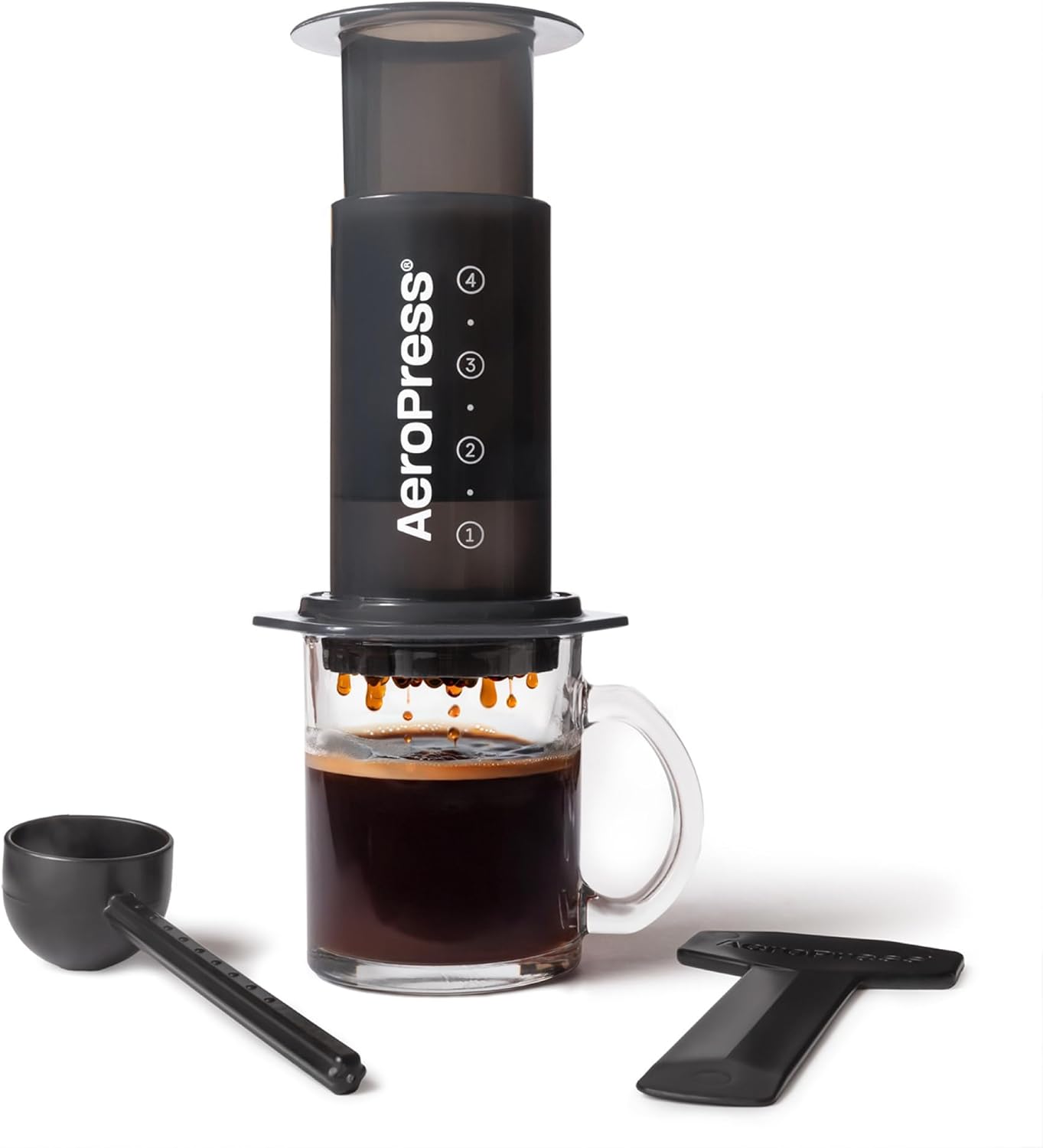
The AeroPress Original fits the programmer who enjoys a deliberate one-cup coffee break at home. The manual process can provide a clear stopping point between work sessions, and the small brewer avoids installing another counter appliance. It still calls for hot water, ground coffee, filters, and cleanup. Choose it for an existing coffee hobby rather than assuming developers need caffeine; someone who wants a drink ready immediately may prefer their current machine.
Best for: People who enjoy making one cup manually
- Type
- Manual coffee press
- Filter
- Paper micro-filters
What we like
- Compact manual brewer
- Paper filters catch grounds
Keep in mind
- Needs separate hot water and coffee
- Adds a brewing step and cleanup
For a small coffee
Zojirushi Stainless Steel Mug, 12 Ounces, Black

For the developer who carries a small coffee from home to a shared workspace, this twelve-ounce Zojirushi is an everyday upgrade with a definite size. The locking lid and disassemblable stopper suit a carried mug, although the lid parts need regular cleaning. Confirm the serving volume and bag routine before ordering. It is a better match for one modest drink than an all-day supply, and any hot beverage should stay somewhere stable away from electronics.
Best for: A small coffee or tea serving on the commute
- Capacity
- 12 ounces
- Lid
- Locking flip lid
What we like
- Locking flip lid
- Stopper comes apart for cleaning
Keep in mind
- 12 ounces is a modest serving
- Lid has parts to wash
For a tactile puzzle
Rubik’s Original 3x3 Cube

A Rubik’s Original 3x3 Cube offers a repeatable physical puzzle for a programmer who enjoys spatial problems. It is easy to leave beside a personal desk and requires neither an app nor another account. Ask whether they actually like cubing: a frustrating puzzle can become unused clutter just as quickly as any novelty. This recommendation is for casual solving, not a claim that this exact model meets the preferences of a competitive speed-cuber.
Best for: Someone who enjoys a repeatable tactile puzzle
- Puzzle
- 3x3 cube
- Manufacturer age
- 8+
What we like
- Reusable 3x3 puzzle
- Works without a screen or battery
Keep in mind
- Can frustrate casual puzzle fans
- Not a specialist speed-cubing recommendation
For adult building fans
LEGO Botanicals Tiny Plants, 10329

LEGO’s Tiny Plants set gives an interested programmer a small construction project with a visible finish line outside software. The separate plant models can be arranged in different spots and do not need watering. Confirm that they enjoy assembly and have somewhere to display the result. This is an adult small-parts set, not a universal stress remedy; avoid giving it to someone who wants fewer objects or who already has an unfinished building backlog.
Best for: Adults who enjoy assembling small display models
- Set
- 10329
- Manufacturer age
- 18+
What we like
- No watering required
- Separate plants can be arranged independently
Keep in mind
- Requires assembly
- Small parts and display space
For casual game nights
Mattel UNO Card Game, Tin Edition

The UNO tin works for a programmer who would enjoy a simple game night with friends, family, or willing teammates. The familiar format can make inviting someone easier than choosing a complex strategy game, and the tin keeps the cards together. The important check is social preference rather than technical skill. Offer a low-pressure invitation alongside it, and avoid treating the gift as a mandatory team-building event or an activity they must organize themselves.
Best for: Low-pressure games with family or friends
- Manufacturer age
- 7+
- Players
- 2–10
What we like
- Protective storage tin
- Familiar color-and-number matching
Keep in mind
- Needs willing fellow players
- Not a solitary activity
For off-duty reading
Glocusent Original LED Neck Reading Light

The Glocusent neck light suits a programmer who reads paper books or enjoys a seated hobby after work. Flexible arms aim light at the page without taking another spot on a desk already occupied by displays. It requires charging and a comfortable neck fit, so a gift receipt is useful. Give it for the recipient’s leisure interest rather than promising eye-health benefits or assuming it solves fatigue caused by long hours at a computer.
Best for: Adult reading or close hobbies away from work
- Power
- USB-C rechargeable
- Design
- Two flexible arms
What we like
- Flexible arms direct the light
- USB-C rechargeable
Keep in mind
- Must be recharged
- Neck-worn fit will not suit everyone
For portable listening
JBL Clip 5, Black

For a developer who likes music while cooking, tending a patio, or spending a weekend outside, the Clip 5 is a compact personal speaker. The integrated carabiner and Bluetooth connection give it a different role from fixed desk speakers. Check whether portable listening is actually useful to them and whether they already own one. An office or shared working area may have sound rules, and no gift should assume other people want to hear the same playlist.
Best for: Personal listening at home or during permitted downtime
- Connection
- Bluetooth
- Carry feature
- Integrated carabiner
What we like
- Integrated carabiner
- IP67 dust and water protection
Keep in mind
- Needs charging
- Shared spaces may prohibit speakers
Personal gifts and experiences
These seven ideas add time, attention, or a shared memory. They are optional alternatives to the products above and do not require a larger budget to be meaningful.
19. A cooking workshop with a real date
Choose a class they have mentioned and confirm the date before booking. Cover ingredients, transport, and any equipment requirement that the provider specifies. Give a flexible alternative if a work deadline moves; the workshop should be a break from work, not another task.
20. A bookstore-and-lunch afternoon
Invite them to browse and choose their own book within a clear budget, then take care of lunch. It leaves technical reading choices with the person who knows their interests. Keep attendance optional and avoid turning the outing into a career-advice session.
21. A board-game evening you organize
Ask who they want there and which games they enjoy, then handle invitations, food, and cleanup. The useful gift is the effort you take off their plate. A modest evening can be more welcome than a surprise gathering full of people they hardly know.
22. A visit to a local makerspace
Arrange a visit only after checking interest, the provider’s access rules, equipment training, and fees. A tour or introductory session can suit a hands-on hobby they already want to explore. Do not assume coding skills qualify them to use unfamiliar workshop equipment.
23. A print of their own creative project
With permission, arrange a print of personal artwork, a game scene they made, or another project they are proud of. Let them choose the image and format. Keep company code, client work, and private repository information out of a public or decorative keepsake.
24. A contribution to a chosen open-source project
Ask which project and funding route they support, then contribute through the verified channel. Do not assume a contribution creates a license or subscription entitlement. This is a personal support gesture rather than one of the guide’s counted physical products.
25. A weekend plan with the logistics handled
Offer a concert, museum visit, hike, or quiet day based on their actual interests. Confirm schedules and accessibility before paying. Handle the agreed reservations and transport, while leaving enough flexibility that the recipient can enjoy the gift without managing another calendar project.
How to make the gift land well
Choose the smallest helpful change
A modest accessory may solve more than a surprise peripheral upgrade. Plan roughly $15–$35 for a small desk or hobby gift, $35–$80 for a larger everyday item, or a pooled budget for requested hardware. These are spending plans, not verified product prices.
Confirm the technical boundary
Ask for the operating system, ports, power requirements, software permissions, layout, and exact desired model. The Anker 555 is specifically unsuitable for the Linux setup excluded by its listing. A hardware gift should work with the existing workflow without requiring an unexpected new purchase.
How We Chose These Gifts
We reviewed exact US product listings, current product-image metadata, and the relevant manufacturer information on October 3, 2026. These are editorial recommendations based on specifications and recipient fit; we did not test the products. Listing pages can reflect cached information, so a visible listing is not proof of stock or a delivery promise.
Frequently Asked Questions
What is a safe gift for a programmer when I do not know the setup?
Start with a known nontechnical habit: a dot-grid notebook, a small cleaning tool used according to device instructions, or a puzzle they have expressed interest in. Avoid guessing keyboard, mouse, hub, or charger requirements.
Can I buy a keyboard as a surprise?
Only if you know the exact layout, connection, switch or key-feel preference, and desired size. The K380 here is for a person who specifically wants its compact multi-device format; it is not a default replacement for a preferred keyboard.
Does the Anker 555 hub work with every programmer’s laptop?
No. The listing excludes Linux compatibility and ties video and charging features to specific host and power requirements. Confirm the intended laptop and operating system before buying.
What if the programmer does not want more work-related gifts?
Choose a known leisure interest such as building, casual games, cooking, reading, or music, or one of the seven personal experiences. Avoid using the birthday as a reason to assign technical reading or another unfinished project.
Sources and Updates
Sources establish product identity and relevant features. Research reviewed October 3, 2026; seller, stock, price, and destination-specific delivery remain checkout checks. No ratings, sales rankings, or hands-on test results are claimed.
- Logitech MX Master 3S Wireless Mouse - exact US listing
- Rain Design mStand Laptop Stand, Silver - exact US listing
- Anker 555 USB-C Hub, 8-in-1 - exact US listing
- Anker 735 Charger, Nano II 65W - exact US listing
- Logitech K380 Bluetooth Keyboard, Dark Gray - exact US listing
- OXO Good Grips Sweep & Swipe Laptop Cleaner - exact US listing
- Rhodia A5 Webnotebook, Black Dot Grid - exact US listing
- Pilot G2 Fine Point Black Gel Pens, 12 Count - exact US listing
- Nite Ize Gear Tie, 6 Inches, Black, 2-Pack - exact US listing
- BAGSMART Large Electronics Organizer, Black - exact US listing
- The Pragmatic Programmer, 20th Anniversary Edition - exact US listing
- AeroPress Original Coffee Press - exact US listing
- Zojirushi Stainless Steel Mug, 12 Ounces, Black - exact US listing
- Rubik’s Original 3x3 Cube - exact US listing
- LEGO Botanicals Tiny Plants, 10329 - exact US listing
- Mattel UNO Card Game, Tin Edition - exact US listing
- Glocusent Original LED Neck Reading Light - exact US listing
- JBL Clip 5, Black - exact US listing
- Logitech MX Master 3S Wireless Mouse - manufacturer or publisher
- LEGO Botanicals Tiny Plants, 10329 - manufacturer or publisher
- Mattel UNO Card Game, Tin Edition - manufacturer or publisher
- JBL Clip 5, Black - manufacturer or publisher
- October 3, 2026Rebuilt the 25-idea assortment around 18 distinct physical products and seven personal or experience gifts; added exact product images, recipient-specific verdicts, and practical limitations.
About the author
Maya Carter
Maya covers everyday tech and thoughtful gift ideas for FaveSift. The guides focus on product features, recipient fit, and practical tradeoffs to check before buying.