Skylight Frame 2 Review: Simple Enough for the Whole Family?
A practical Skylight Frame 2 review covering touchscreen use, email sharing, Gift Mode, offline photos, Frame Plus, privacy, and long-distance family setup.

10 min read
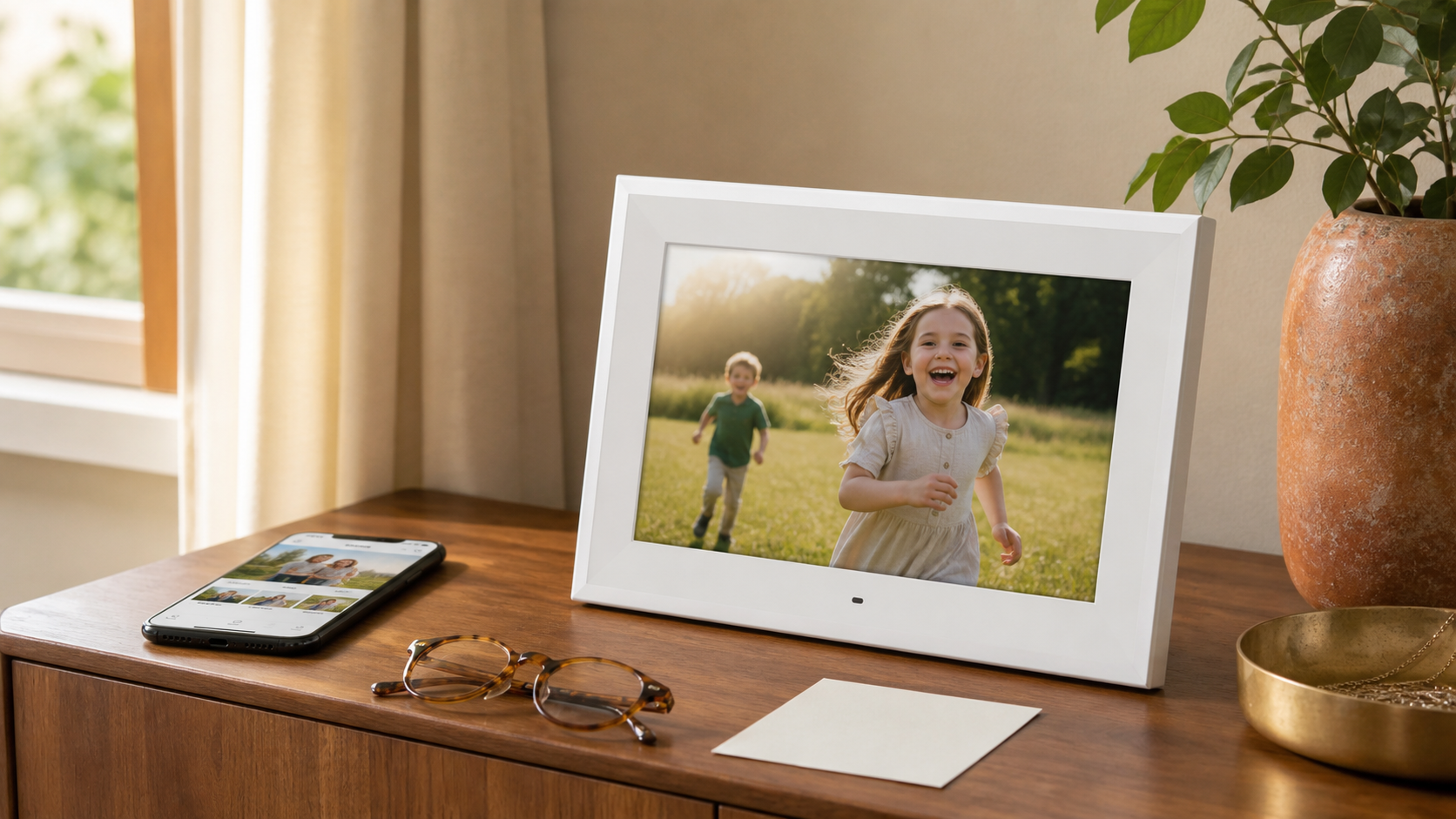
Verdict: Skylight Frame 2 is a strong digital-photo gift for families that want a full touchscreen, an easy email route for contributors, and local storage that keeps downloaded photos visible when Wi-Fi drops. It is especially appealing when the grandparent will interact with the frame directly instead of leaving every decision to a relative’s phone.
The main caution is not complexity at the frame-it is the product ecosystem around it. Core photo and video sharing works without a subscription, but Skylight promotes an optional annual Frame Plus plan for albums, selected remote settings, and cloud backup. Families should confirm which controls are included in the current base experience before treating remote support as a guaranteed free feature.
This research-based review was completed on August 10, 2026 using Skylight’s current Frame 2 product and support pages, its privacy documentation, the Amazon US listing, and independent comparisons. FaveSift does not claim long-term hands-on testing. Read our Aura vs. Skylight comparison if you are deciding between the two leading gift workflows.
Quick Summary
- Skylight Frame 2Best for touchscreen-first use, family email uploads, stored-photo playback during outages, and a recipient who wants more direct control.
Review Verdict
| Feature | Frame 2 | Practical meaning |
|---|---|---|
| Display | 10-inch, 1920 × 1200 IPS touchscreen | Sharper interface and direct pinch, crop, zoom, and menu control |
| Surface | Anti-glare with auto-brightness | Better suited to bright shared rooms than a glossy tablet-like display |
| Storage | 16GB internal | Downloaded photos and videos do not depend on constant cloud streaming |
| Sharing | Skylight app or unique frame email | Relatives can contribute without everyone learning the same workflow |
| Gift preparation | Gift Mode supports preloading | The first screen can be personal instead of empty |
| Offline behavior | Stored photos continue to display | A temporary internet outage does not stop the slideshow |
| Recipient feedback | Heart button | A simple way to acknowledge a photo without typing a reply |
| Remote management | Selected controls promoted through Frame Plus | Confirm current plan boundaries when remote help is essential |
| Cloud backup | Promoted as a Frame Plus feature | Base users should keep independent copies of all original media |
| Power | Plug-in operation | Requires a permanent outlet and stable surface |
What makes Frame 2 different from the original Skylight Frame?
The current 10-inch Frame 2 raises the display resolution to 1920 × 1200, doubles internal storage to 16GB, adds a faster processor, auto-brightness, an anti-glare treatment, and interchangeable Snap Frames. The core Skylight idea remains the same: family members send photos from the app or to a unique frame email address, and the recipient sees them on a dedicated screen.
That matters because an older review of the original Skylight Frame may accurately describe the brand’s email workflow while no longer reflecting the current screen, storage, or included video features. Buyers should match every review to the exact model and ASIN rather than assuming all 10-inch Skylight frames are identical.
Setup: easy only when the family prepares the handoff
Skylight’s current activation flow creates a device email address, sets privacy preferences, and provides an activation code for the frame. Gift Mode allows a giver to prepare photos and videos before the recipient opens the box. Once the frame is plugged in and connected to Wi-Fi, the prepared content can appear without asking the grandparent to build an album from scratch.
The phrase “easy setup” should not be interpreted as “no setup.” Someone still has to enter the Wi-Fi password, activate the frame, decide whether senders require approval, share the correct email address, and choose who will manage the account. Do this in person when possible, or create a one-page instruction card with only the actions the recipient will actually use.
The touchscreen is Frame 2’s clearest advantage
Skylight Frame 2 lets the recipient interact directly with the display. Pinch, crop, zoom, and menu actions feel closer to using a familiar tablet than to operating a hidden strip of controls. This is useful for a grandparent who enjoys touching and exploring a screen but does not want to manage a separate photo app.
The Heart button creates a small but important feedback loop. When a recipient likes a new photo, they can acknowledge it without composing a text or opening another device. That response can encourage relatives to keep contributing instead of letting the frame become stale.
Email sharing solves a real family problem
Not every contributor wants to install an app or remember a shared account. Skylight assigns the frame a unique email address, so a relative can attach a photo to an ordinary email. App sharing remains available for people who prefer a gallery interface, and the frame owner can control whether new senders need approval.
The email route is most successful when the family uses clear rules: attach the actual image rather than a cloud link, send to the exact @ourskylight.com address, and avoid sending dozens of near-duplicates at once. A newly activated private frame may also require the owner to approve the first message from each sender.
Offline viewing is more valuable than it sounds
Frame 2 stores downloaded content in 16GB of internal memory. When Wi-Fi is unavailable, the existing slideshow continues; new photos wait until the connection returns. That makes Skylight more forgiving than a cloud-streaming frame in a home with occasional router problems.
Offline playback does not mean the product is internet-free. Wi-Fi is still necessary for activation, new uploads, software services, and any remote account features. The distinction is simply that a temporary outage does not turn a familiar family display into a connection-error screen.
Frame Plus: useful, optional, and worth checking carefully
Skylight’s current Frame 2 page describes photos, videos, captions, app sharing, and email sharing as part of the core product. It promotes an optional annual Frame Plus plan for features including albums, remote control, and cloud backup. Those additions are particularly relevant when the giver lives far away and wants to adjust brightness, sleep schedules, or organization without visiting.
Skylight’s older support pages describe a different free-versus-paid boundary, which is why buyers should rely on the current Frame 2 product page and checkout terms rather than an archived review. Take a screenshot of the feature comparison when buying, note any renewal date, and make the account owner-not the recipient by surprise-responsible for cancellation decisions.
Privacy and sender approval
Skylight’s privacy statement says photos and videos are stored through a secure cloud hosting provider and sent to the frame using an encrypted protocol. The frame’s private mode can require approval for new senders, and account controls allow the owner to block or approve an email address.
No connected frame should be treated as a private family vault without limits. Use a strong account password, approve known contributors, keep the frame email private, and maintain separate backups of every original photo. If the recipient does not want cloud-connected family media at all, choose a conventional printed album or a local-only frame instead.
What we like
- The touchscreen gives the recipient meaningful control without requiring a separate phone.
- Email sharing makes contribution accessible to relatives with different devices and comfort levels.
- Internal storage keeps downloaded photos visible during a Wi-Fi outage.
- Gift Mode lets the frame arrive with a real family story already inside.
- The higher-resolution anti-glare display and auto-brightness suit a prominent living-space placement.
- The Heart button turns passive viewing into a simple two-way family ritual.
What gives us pause
- The most valuable remote-management tools may require an optional annual plan.
- The current free-versus-paid feature boundary must be checked because older documentation differs.
- The frame still needs power and Wi-Fi for setup and new photos.
- Email convenience creates a need for careful sender approval and address privacy.
- The wide 12-inch body needs more tabletop room than the 10-inch screen size suggests.
- A touchscreen is only an advantage when the recipient is comfortable using it.
The Frame
Best for touchscreen and email sharing
Skylight Frame 2 10-Inch Digital Picture Frame

Skylight Frame 2 is a strong gift for a grandparent who will use a touchscreen and benefit from email sharing and offline playback, but remote-management expectations should be checked against the current Frame Plus terms.
Best for: Grandparents who want direct on-frame controls and families with mixed app and email preferences
What we like
- 10-inch Full HD touchscreen with anti-glare and auto-brightnessn16GB internal storage keeps downloaded photos available offlinenPhotos and videos can arrive through the app or frame emailnGift Mode, Heart button, and interchangeable exterior frames improve the gift experience
Keep in mind
- Selected remote settings, albums, and cloud backup are associated with optional Frame PlusnWi-Fi is still required for setup and new uploadsnThe frame email must be protected and new senders may need approvalnRequires permanent power and a stable tabletop location
Who should skip Skylight Frame 2?
Skip it when the family expects every remote setting and cloud feature to be included free, when the recipient dislikes touchscreens, or when nobody will manage sender approvals and account details. It is also unnecessary for a grandparent who would rather receive a printed album, and it is not appropriate for a location without a dependable outlet.
Choose Aura Carver Mat instead when the family wants unlimited cloud storage, no current subscription requirement, and app-centered management. Use our digital-frame buying guide when orientation, room size, Wi-Fi compatibility, or privacy model is the deciding factor.
Final verdict: simple enough for the whole family?
Yes, when the family defines the roles before gifting it. The grandparent can use the touchscreen and Heart button; relatives can send from email or the app; one account owner can approve contributors and handle service settings. That is a simpler division of labor than asking everyone to use one identical app.
Frame 2’s best feature is not its resolution. It is the combination of a direct recipient interface, flexible contribution methods, and local storage. Its biggest weakness is that the most useful remote-support extras may introduce an ongoing plan. Confirm that boundary, preload it generously, and leave the recipient with only the controls they need.
How We Reviewed Skylight Frame 2
This is a research-based editorial review, not a claim that FaveSift performed laboratory measurements or long-term hands-on testing. We reviewed the current Skylight Frame 2 and Amazon US listings, official activation, sender-approval, troubleshooting, support, privacy, and Frame Plus information, plus independent comparisons available on August 10, 2026.
Frequently Asked Questions
Is Skylight Frame 2 easy for grandparents?
It can be. The touchscreen and Heart button are straightforward, while relatives can manage uploads through the app or email. A family member should still complete activation, Wi-Fi setup, privacy settings, and contributor approvals.
Can people send photos to Skylight without the app?
Yes. Each frame has a unique email address, and approved relatives can attach photos to an email. The owner can choose privacy settings and approve new senders.
Does Skylight Frame 2 work without Wi-Fi?
Previously downloaded photos continue to display from internal storage. Wi-Fi is still required for activation, new uploads, software services, and remote features.
Does Skylight Frame 2 require Frame Plus?
No. Core photo and video sharing works without an annual plan. Skylight promotes Frame Plus for selected features such as albums, remote controls, and cloud backup. Verify the current feature table before buying.
Can I preload Skylight Frame 2 as a gift?
Yes. Gift Mode lets the giver prepare photos and videos before the recipient opens the frame. The recipient still needs to connect it to power and Wi-Fi and complete activation.
How many photos can Skylight Frame 2 hold?
Skylight lists 16GB of internal storage and describes it as enough for thousands of photos. The exact practical capacity depends on file sizes and videos.
Is the Skylight frame email private?
The owner can set the frame to require sender approval and can block or approve email addresses. Keep the frame email limited to trusted people and use a strong account password.
Is Skylight Frame 2 better than Aura Carver Mat?
Skylight is better for touchscreen control, email sharing, and offline playback. Aura is better for families that prefer app-based management, unlimited cloud storage, and no current subscription for core features.
Sources and Updates
We reviewed the linked Skylight, independent-comparison, and Amazon US pages on August 10, 2026. The Amazon link identifies the selected listing, not a promise about live price, seller, rating, inventory, returns, or availability. Verify the exact model and current Frame Plus terms before purchase.
- Amazon US u2014 Skylight Frame 2 10-inch listing
- Skylight u2014 Frame 2 product page and specifications
- Skylight Support u2014 frame activation and privacy settings
- Skylight Support u2014 approving and blocking senders
- Skylight Support u2014 frame email security
- Skylight Support u2014 receiving-photo troubleshooting
- Skylight u2014 current privacy statement
- Skylight u2014 Frame Plus overview
- House Beautiful u2014 Aura Carver vs. Skylight Frame 2
- Skylight Support u2014 current customer-support channels
- August 10, 2026Initial gift-focused Frame 2 review completed using current product, support, privacy, Amazon US, and independent-comparison sources.
About the author
Maya Carter
Maya covers everyday tech and thoughtful gift ideas for FaveSift. Before joining the editorial team, she helped independent retailers turn dense product details into useful, human buying guides. Her work focuses on the features that change an ordinary commute, workday, or weekend listen.