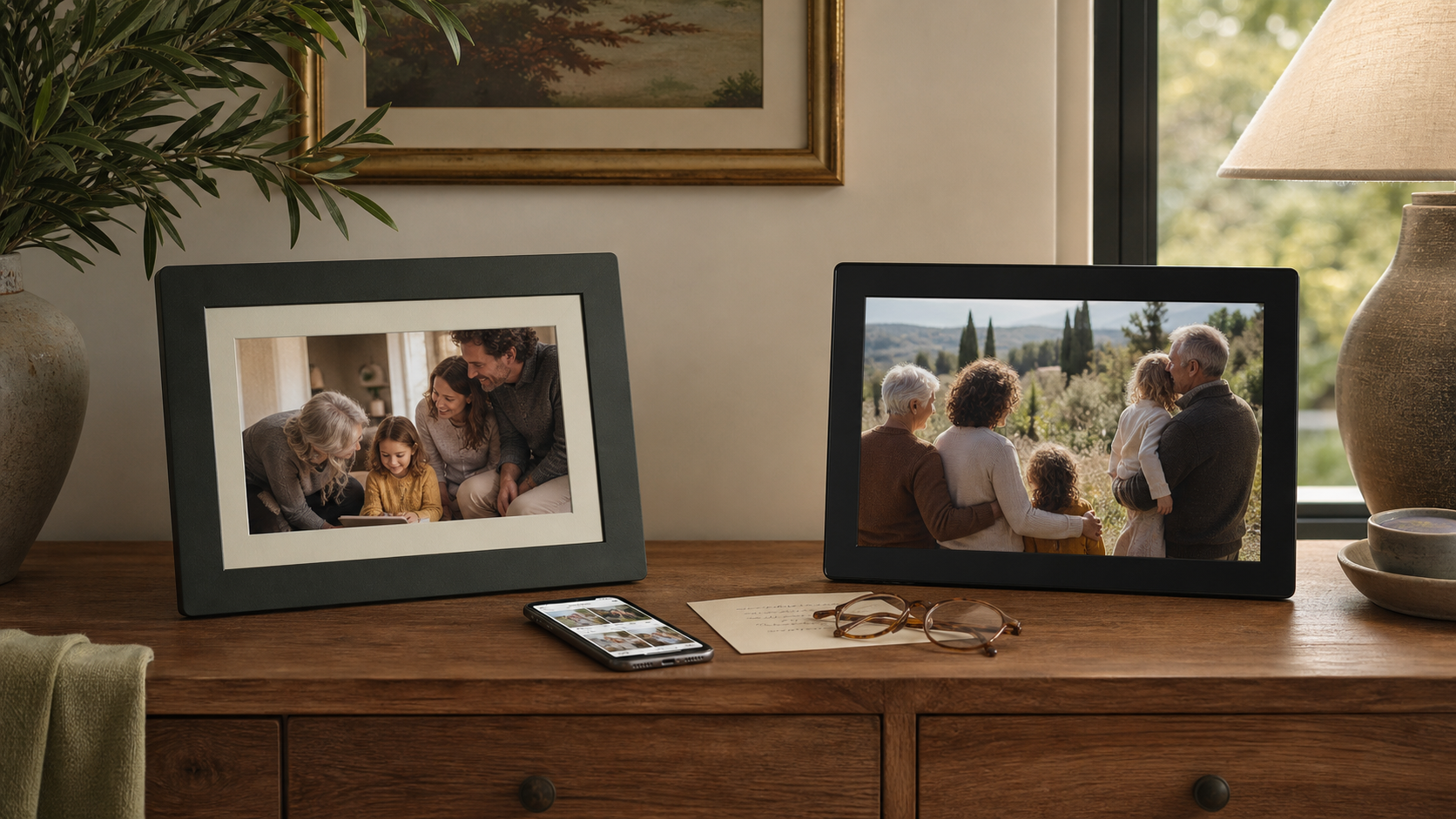
Aura vs. Skylight Digital Photo Frames for Grandparents: Which Is Easier?
Compare Aura Carver and Skylight Frame for grandparents by family photo sharing, setup, controls, subscriptions, and the support they may need.

17 min read
A digital photo frame can be one of the best gifts for grandparents-or an expensive black screen waiting for someone to finish the setup. The meaningful comparison is not simply Aura versus Skylight on a feature list. It is which system the family will keep updating, which controls the recipient will actually use, and who will help when the home Wi-Fi changes.
For most families, the Aura Carver 10-Inch Frame is our better all-around gift. Aura includes unlimited cloud storage, videos, captions, several sharing methods, and remote family management without requiring a paid subscription. Choose the Skylight 10-Inch Frame instead when simple email sharing, a full touchscreen, the Heart response button, and the ability to keep viewing downloaded photos without Wi-Fi matter more than Aura’s included premium features.
This is a source-based editorial comparison, not a claim that FaveSift completed a new laboratory or long-term hands-on test of these exact units. We compared current official documentation and the exact Amazon US listings linked below. On September 3, 2026, both ASINs showed active new-item purchase controls. Availability, seller, package, software, delivery, and price can change, so verify the exact listing again before publication and checkout.
Should You Buy a Digital Frame or Use a Family Photo App?
A shared photo app is the simpler choice when your grandparent already enjoys using a phone or tablet and checks it often. A dedicated frame makes more sense when they want new family pictures to appear in one familiar place without opening another app. The giver still needs to handle initial setup, connect the frame to Wi-Fi, and show relatives how to send photos.
When choosing between Aura and Skylight, compare the exact model and current sharing features rather than assuming every frame from a brand works the same way. Our easy-to-use tech gifts for grandparents includes other low-friction options, while long-distance grandparent gifts focuses on staying connected.
Quick Summary
Choose the ownership model the family can maintain after the first album is loaded.
- Aura Carver 10-Inch Digital Picture FrameBest overall when a relative can handle app and Wi-Fi setup and the family wants videos, captions, unlimited storage, and remote management without another subscription.
- Skylight 10-Inch Digital Picture FrameBest for an email-first family, direct touchscreen control, a simple Heart reaction, and continued viewing of downloaded photos when Wi-Fi is unavailable.
The Better Choice for Each Family
The short answer
Buy Aura Carver when the gift is meant to become a family-managed photo stream. One or more relatives should be comfortable creating an Aura account, using the app or web tools, connecting the frame to the recipient’s Wi-Fi, and continuing to add photos. In return, the family gets a broad feature set without a separate paid tier: unlimited photo and video storage, captions, multiple contributors, gift preloading, and several ways to send content.
Buy Skylight when the easiest ongoing contribution method is a memorable frame email address. Relatives can email photos without creating a sender account, while the grandparent gets a conventional touchscreen with pinch, crop, zoom, delete, pause, gallery, and Heart controls. The free experience covers core photo sharing. Videos, captions, cloud backup, albums, online library access, and remote settings belong to the optional paid Frame Plus tier.
Neither frame is universally easier. Aura can reduce the recipient’s work when a family member becomes the long-term administrator. Skylight can reduce the senders’ work when email is already the family’s shared habit. The better gift is the system whose support plan can be explained in one sentence.
Aura Carver vs. Skylight Frame at a glance
| Decision point | Aura Carver 10-Inch | Skylight Frame 10-Inch | Better fit |
|---|---|---|---|
| Display | 10.1-inch, 1280 × 800 | 10-inch, 1280 × 800 IPS touchscreen | Tie on basic size and resolution |
| Recipient controls | Interactive touch bar for basic actions; settings live mainly in the Aura app | Full touchscreen with pinch, crop, zoom, gallery, delete, pause, and Heart response | Skylight for direct on-frame control |
| Family sharing | Aura app, text-to-frame in the US and Canada, email, and web uploader; invited contributors | Free mobile app or a unique frame email address; email senders do not need an account | Skylight for email-first families; Aura for broader workflows |
| Core subscription requirement | No paid subscription required for Aura’s photo, video, caption, contributor, or unlimited-storage features | No subscription required for core photo sending and display | Tie for basic photos |
| Features behind a paid tier | None of the core features compared here | Videos, captions, remote settings, cloud backup, albums, and broader online management require Frame Plus | Aura |
| Storage model | Unlimited cloud library | 8GB local storage, advertised for up to about 8,000 photos; cloud backup with Plus | Aura for scale; Skylight for local storage |
| Offline behavior | Aura states that the frame needs a continuous internet connection to operate | Downloaded photos remain viewable offline; Wi-Fi is needed for setup and new downloads | Skylight |
| Portrait photos | Landscape-only frame with portrait pairing and app-based crop options | Landscape-oriented display with touchscreen crop, zoom, and rotate controls | Depends on the family’s photo library |
| Gift preparation | Preload photos, videos, and a message; final connection to the recipient’s Wi-Fi still needs a plan | Set up the frame email and preload photos; recipient connects Wi-Fi and enters the activation code | Tie-with different setup workflows |
| Remote family support | Invited Aura members can manage photos and many settings remotely after setup; Wi-Fi changes still require onsite help | Remote settings and cloud library management require Frame Plus | Aura without a paid tier |
| Power | Plug-in frame with no cordless operation | Plug-in frame with no battery | Tie |
| Best household | Stable home Wi-Fi and at least one app-comfortable family administrator | Relatives who prefer email and a recipient who wants touchscreen control or offline viewing | Depends on the support plan |
The frames we compared
The Frames
Best overall
Aura Carver 10-Inch Digital Picture Frame

The stronger default gift for a family that wants a polished, continuously updated photo stream with videos, captions, unlimited cloud storage, and remote family participation included without another paid plan.
Best for: Grandparents with stable home Wi-Fi and at least one relative willing to own setup and ongoing photo management
Connection: Preload recent candid photos and a welcome message, then assign two family members to add new moments after birthdays, visits, school events, and ordinary weekends.
- Display
- 10.1-inch, 1280 × 800
- Orientation and controls
- Landscape tabletop frame with interactive touch bar and portrait pairing
- Sharing and storage
- App, email, web, and supported text sharing with unlimited cloud storage
- Connectivity
- Plug-in; Carver uses a 2.4GHz Wi-Fi network
What we like
- Unlimited photo and video cloud storage with no required subscription
- Multiple contribution methods, including app, email, web uploader, and text-to-frame in supported regions
- Family members can continue managing photos and many settings remotely after setup
Keep in mind
- The Carver is landscape-only and relies on portrait pairing for vertical images
- A compatible phone or tablet and the Aura app are required for setup and full management
- Aura states that the frame must remain connected to Wi-Fi with internet access to operate
Best for email sharing and touch controls
Skylight 10-Inch Digital Picture Frame
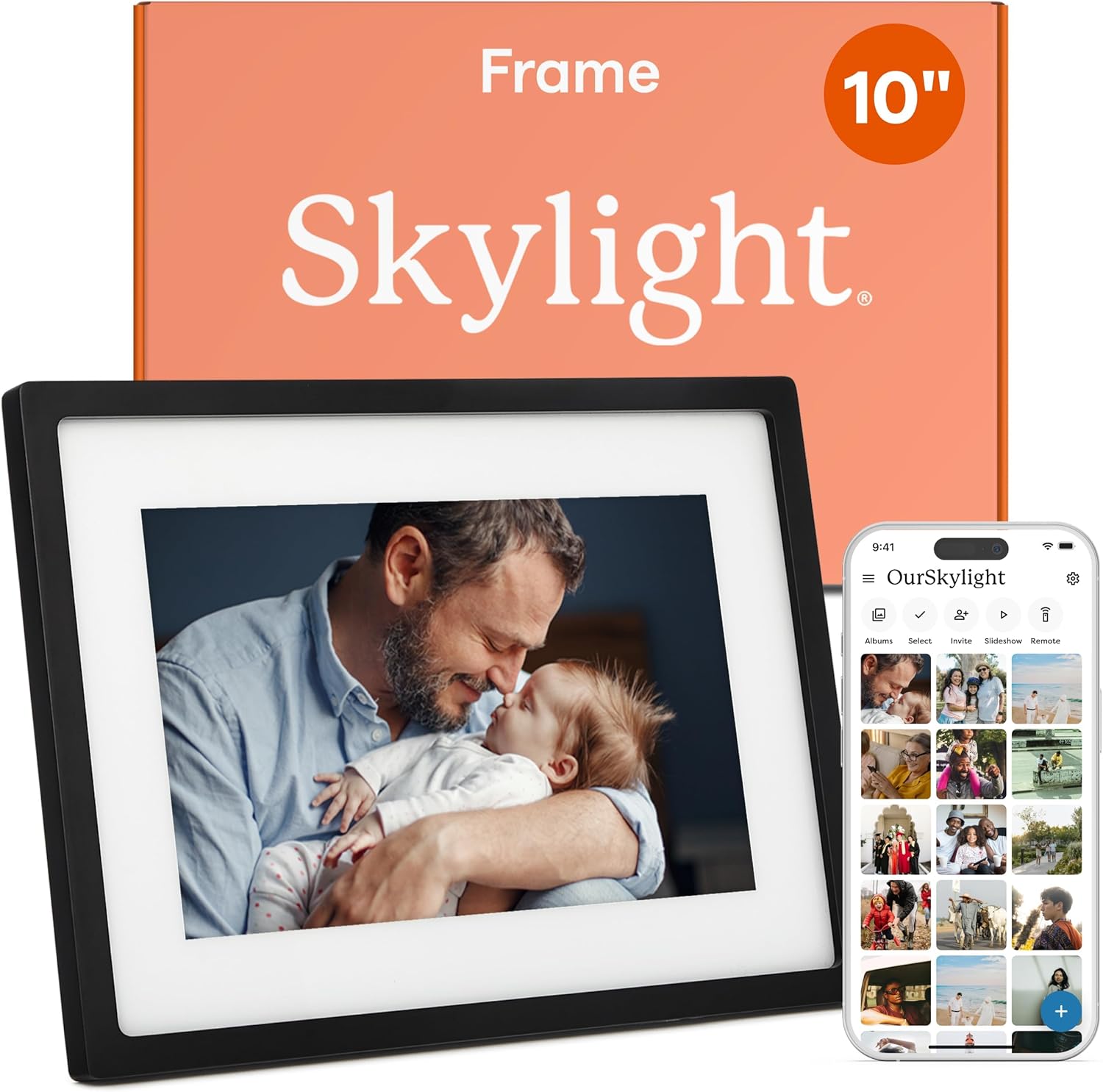
The better choice when relatives need the simplest email-based sending workflow and the recipient values a familiar touchscreen, a Heart response, local storage, and continued viewing of downloaded photos without Wi-Fi.
Best for: Grandparents who want direct touchscreen control and families likely to keep sending photos by email
Connection: Create a memorable frame email address, preload a focused first album, and ask relatives to send one or two new photos after each meaningful family event.
- Display
- 10-inch, 1280 × 800 IPS touchscreen
- Storage
- 8GB local storage, advertised for up to about 8,000 photos
- Sharing
- Unique frame email address or free Skylight mobile app
- Connectivity
- Plug-in; Wi-Fi required for setup and receiving new photos
What we like
- Relatives can send photos by email without creating a sender account or paying for core photo sharing
- Touchscreen supports direct crop, zoom, gallery, delete, pause, and Heart interactions
- Existing downloaded photos remain viewable when the frame is offline
Keep in mind
- Videos, captions, cloud backup, albums, online library access, and remote settings require the paid Frame Plus plan
- The standard frame stores photos locally, so cloud backup is not included in the free experience
- The recipient still needs to enter Wi-Fi details and an activation code on the frame during setup
Setup and gift preparation
Both companies let a giver prepare photos before the box is opened, but neither gift should be treated as completely finished until it has been tested on the recipient’s network. Preloading proves that the account and first album exist. It does not prove that the frame can join a specific router, captive portal, senior-living network, or filtered institutional Wi-Fi.
Aura’s setup is app-centered. A compatible iPhone, iPad, or Android device, an Aura account, Bluetooth during initial pairing, and the recipient’s Wi-Fi credentials are required. If the grandparent does not use a smartphone, a family member can perform onsite setup and remain an invited administrator. Aura says invited members can continue managing the frame remotely afterward, but changing Wi-Fi still requires someone at the frame.
Skylight can be prepared by creating the frame’s unique email address and six-digit activation code before gifting. At the recipient’s home, someone plugs in the frame, selects the Wi-Fi network on the touchscreen, enters the password, and types the activation code. That workflow can feel more familiar than Bluetooth pairing, but entering a long Wi-Fi password on a frame is still a task worth doing together.
How family members send photos
Aura now supports more than one contribution route: the Aura app, email, a web uploader, and text-to-frame in the United States and Canada. Invited contributors can add photos and videos to one or multiple frames. That flexibility is valuable for a large family, but the Aura account and invitation structure still make one app-comfortable organizer useful.
Skylight’s defining advantage is the unique frame email address. A relative can attach a photo to an ordinary email and send it without creating a Skylight sender account. The free app is available too. Email is not automatically better for every family-it can expose the frame address if forwarded carelessly-but it creates very little training friction for relatives already comfortable with email.
| Family situation | Better workflow | Why |
|---|---|---|
| One or two relatives will manage everything | Aura | The app, unlimited library, captions, videos, and remote settings form one family-admin system. |
| Many relatives already share photos by email | Skylight | Each sender can use the frame address without learning another account workflow. |
| The family wants to send short videos without a paid plan | Aura | Aura includes video uploads; Skylight reserves videos for Frame Plus. |
| The grandparent wants to react from the frame | Skylight | The Heart button emails a simple response to the sender. |
| Relatives want text-to-frame sharing | Aura | Aura supports text-to-frame in the United States and Canada. |
| The giver wants a web-based photo library and remote settings | Aura by default; Skylight with Plus | Skylight places broader online management and remote settings in the paid tier. |
Subscriptions, storage, and long-term ownership
Aura is the clearer choice for a family that wants the complete feature set without evaluating a renewal. Aura states that all frames include free unlimited cloud storage, unlimited contributors, videos, captions, and regular feature updates without monthly or annual fees. The tradeoff is dependence on Aura’s account, cloud, and continuous internet connection.
Skylight’s free tier is sufficient for the central job: relatives can send photos by email or the app, and the frame can display them from its local storage. The paid Frame Plus tier adds videos, captions, cloud backup, albums, broader online access, slideshow mirroring, and remote settings. That does not make the free frame unusable; it means the giver should decide before purchase whether any Plus-only feature is part of the promised gift.
Screen controls and everyday use
The two frames ask the recipient to interact in different ways. Aura Carver is primarily a passive display with an edge touch bar for basic actions such as moving between photos, removing a photo, or controlling video audio. Most deeper settings live in the Aura app. That can be calming for someone who wants the frame to behave like a frame, but it transfers more responsibility to the family administrator.
Skylight behaves more like a simple tablet dedicated to photos. The touchscreen lets the recipient pinch, crop, zoom, pause, delete, open the gallery, change slideshow behavior, and tap the Heart button. Direct control is useful only when the recipient wants it. A grandparent who dislikes touching screens may prefer Aura’s more passive experience.
Both standard models use roughly ten-inch 1280 × 800 displays. Aura Carver is landscape-only and can pair two portrait images side by side. Skylight says landscape 16:9 photos fit best, while vertical images may show side space unless the recipient adjusts the crop or zoom. Review the family’s actual camera roll before treating orientation as a minor detail.
Wi-Fi, offline use, and senior-living networks
Aura says its standard frames must stay plugged in and continuously connected to Wi-Fi with internet access to operate. Carver uses 2.4GHz Wi-Fi. That is usually straightforward in a private home, but assisted-living facilities, hospitals, campuses, workplaces, and guest networks may use captive portals or enterprise controls that require special handling. Ask the facility before ordering.
Skylight needs Wi-Fi for activation and to download newly sent photos, but already downloaded photos remain available offline. New photos wait until the frame reconnects. That gives Skylight a practical advantage in homes with occasional outages, though someone still needs a workable network or hotspot whenever the family wants the library to update.
Neither frame has a battery. Both need a nearby outlet and a safe cord path. Before choosing a shelf, confirm that the display can be seen comfortably from the recipient’s normal chair without placing the cord across a walkway.
Privacy and remote family support
Aura stores the shared library in its cloud and controls participation through Aura accounts and frame invitations. The system works well when the family knows who owns the account, who can invite contributors, and who will remove an accidental or inappropriate upload. Use individual accounts rather than casually sharing one password.
Skylight’s standard workflow stores photos on the frame. Anyone who knows the unique frame email can potentially send to it, so the address should be shared deliberately. Skylight documentation says support can restrict approved senders or block addresses. With Frame Plus, private sender approvals, cloud backup, online access, and broader remote management become part of the account workflow.
Do not upload every family photo simply because storage allows it. Avoid medical documents, screenshots containing private information, images shared without consent, and embarrassing childhood photos the recipient would not choose to display. A smaller edited library is easier to enjoy and easier to maintain.
Which frame is easier for grandparents?
Aura Carver is easier for the recipient when someone else accepts the administrator role. After setup, the grandparent can mostly watch the slideshow and use a few touch-bar controls while relatives handle the library and settings. It is our better default recommendation for a supported family gift.
Skylight is easier for contributors who already know email and for a recipient who wants to touch, crop, delete, pause, browse, and react directly on the frame. It is also the better fit when downloaded photos should remain visible during an internet outage.
| Choose Aura Carver when… | Choose Skylight Frame when… | Skip both when… |
|---|---|---|
| A relative will complete setup and remain the family administrator | Relatives will reliably send photos by email | No one is willing to own setup and future troubleshooting |
| Videos, captions, remote settings, and unlimited storage should not require a paid plan | The recipient wants a full touchscreen and Heart response | The recipient does not want a plugged-in connected display |
| The home has stable 2.4GHz Wi-Fi | Existing photos should remain viewable offline | The available network is controlled and compatibility has not been confirmed |
| The recipient prefers a passive display with simple edge controls | The recipient wants to crop, zoom, browse, and delete on the frame | Family members are unlikely to add new photos after the first week |
| The family wants app, web, email, and supported text sharing | A memorable email address is the easiest contribution method | Photo privacy and contributor boundaries have not been discussed |
How to give either frame so it is ready on day one
- Confirm the network before ordering. Ask whether the recipient has private home Wi-Fi, a captive portal, a facility network, or no regular internet connection.
- Choose one account owner. This person keeps the login, understands the privacy settings, and becomes the first support contact.
- Preload a focused first album. Begin with about 30–60 clear photographs: recent candid moments, a few older favorites, names the recipient recognizes, and no near-duplicates.
- Test the exact orientation mix. Include horizontal and vertical photos and confirm how faces are cropped before the gift is delivered.
- Connect it at the recipient’s home. Do not assume virtual gift preparation replaces the final Wi-Fi step.
- Send one test photo remotely. Have another family member contribute from a different phone or email account before declaring setup complete.
- Set the sleep behavior. Confirm when the display should turn off and whether the recipient wants automatic or scheduled behavior.
- Leave a one-page instruction card. Include only the actions the recipient is likely to use and the name and phone number of the family administrator.
- Create an update habit. Ask two or three relatives to add photos after birthdays, visits, school events, and ordinary weekends so the frame does not become stale furniture.
More digital photo frame and grandparent guides
For a broader shortlist, read easy-to-use tech gifts for grandparents. Compare a larger Aura model with a local-storage alternative in Aura Walden vs. Frameo. For non-tech ideas, use Grandparents Day gifts for grandparents who say they need nothing and the decision framework in what to give grandparents who already have everything.
How We Compared Aura and Skylight
This is a research-based gift comparison using the exact Aura Carver and Skylight Frame Amazon US listings plus current official documentation. We applied the same household-ownership questions to both systems instead of declaring a winner from marketing copy or review averages.
Frequently Asked Questions
Is Aura or Skylight easier for grandparents?
Aura is often easier for the recipient when a relative handles the app, setup, and ongoing management. Skylight can be easier for relatives who send by email and for a recipient who wants direct touchscreen controls.
Does Aura require a subscription?
No. Aura states that its frames include unlimited photo and video cloud storage, captions, contributors, and current core features without a monthly or annual subscription.
Does Skylight require a subscription?
No subscription is required to send and display photos by email or the free app. The optional Frame Plus plan is required for features such as videos, captions, cloud backup, albums, online library management, and remote settings.
Can family members email photos to both frames?
Both systems currently support email contributions. Skylight makes the unique frame email address central to its workflow and does not require ordinary email senders to create an account. Aura also supports app, web, and text-to-frame methods in supported regions.
Can Aura Carver work without Wi-Fi?
Aura documentation says the frame must remain plugged in and connected to Wi-Fi with internet access to operate. Confirm the recipient’s network before purchasing.
Can Skylight Frame work without Wi-Fi?
Existing downloaded photos can remain viewable offline. Wi-Fi is still required for initial setup and for receiving new photos.
Can I preload photos before giving the frame?
Yes. Both brands provide a gift-preparation workflow. The giver should still plan the final Wi-Fi connection at the recipient’s home and test one new remote upload.
Which frame is better for videos?
Aura is the stronger value when videos matter because video sharing is included without a paid subscription. Skylight requires Frame Plus for video.
Which frame is better during internet outages?
Skylight has the advantage because photos already downloaded to the frame can remain viewable offline. Aura describes continuous Wi-Fi with internet access as an operating requirement.
Can grandparents use Aura without a smartphone?
They can use basic touch-bar controls after a family member completes setup, but Aura requires a compatible phone or tablet and the Aura app for initial setup and full management.
How many photos should I preload?
Start with a curated album of roughly 30 to 60 clear, meaningful images rather than thousands of unsorted photos. Include names and captions only where they add useful context.
Are both exact Amazon products currently available?
At the September 3, 2026 editorial check, both exact Amazon US listings showed active Add to Cart and Buy Now paths. Availability, seller, delivery, variant, and price can change, so verify again before purchase.
Sources and Updates
We reviewed current Aura and Skylight documentation and the exact Amazon US product destinations on September 3, 2026. The Aura Carver ASIN B0GR6YMKHX and Skylight Frame ASIN B01N7ENHO6 each showed active Add to Cart and Buy Now controls during the check. The Aura offer was fulfilled by Amazon and sold by Aura Home, Inc.; the Skylight offer was fulfilled by Amazon and sold by Skylight Frame. These are dated retail observations, not promises about future inventory, seller, delivery, or price. Recheck both exact listings immediately before publication and purchase.
- Amazon US - Aura Carver 10-Inch Digital Picture Frame
- Amazon US - Skylight 10-Inch Digital Picture Frame
- Aura - Current frame model comparison and common features
- Aura - Technical requirements
- Aura - Using a frame when the recipient has no smartphone or tablet
- Skylight - 10-Inch Frame product details
- Skylight - User guide, setup, storage, offline use, and security
- Skylight - Frame Plus feature comparison
- FaveSift - Aura Walden vs. Frameo
- FaveSift - Easy-to-Use Tech Gifts for Grandparents
- FaveSift - Grandparents Day Gifts for Grandparents Who Say They Need Nothing
- FaveSift - What Do You Give Grandparents Who Already Have Everything?
- September 3, 2026Created the canonical Aura Carver vs. Skylight Frame comparison with exact Amazon US ASINs, current official feature documentation, dated availability evidence, and verified contextual links to published FaveSift guides.
- September 25, 2026Expanded buying advice and reviewed the exact Amazon.com product listings. Stock and delivery vary by ZIP code.
About the author
Maya Carter
Maya covers everyday tech and thoughtful gift ideas for FaveSift. The guides focus on product features, recipient fit, and practical tradeoffs to check before buying.